



Global Texture - Noise Background
    Ecommerce banner site mockup
    Ecommerce banner site mockup

Project Details

Making a complex service business easier to run

Dispatch was a product concept for home-service businesses that needed one place to schedule work, manage customers, dispatch teams and keep track of the business.

The challenge was not a lack of features. Existing field-service platforms already covered scheduling, estimates, payments and reporting, but they often made those capabilities difficult to navigate—particularly for owners running a small business without a dedicated operations team.

I designed the product around the workflow of getting a job from booking to completion. The system brought scheduling, job details, customer information, team coordination and payments into connected flows, supported by a reusable interface system rather than a collection of isolated screens.

The result was a detailed product concept covering the dashboard, calendar and dispatch workflows, job management, customer communication and team views—designed to make a complex operational system feel understandable from the first use.

Client

Dispatch

Role

Product design

Scope

Research, information architecture, core workflows and UI system

Year

2023

Tools

Figma
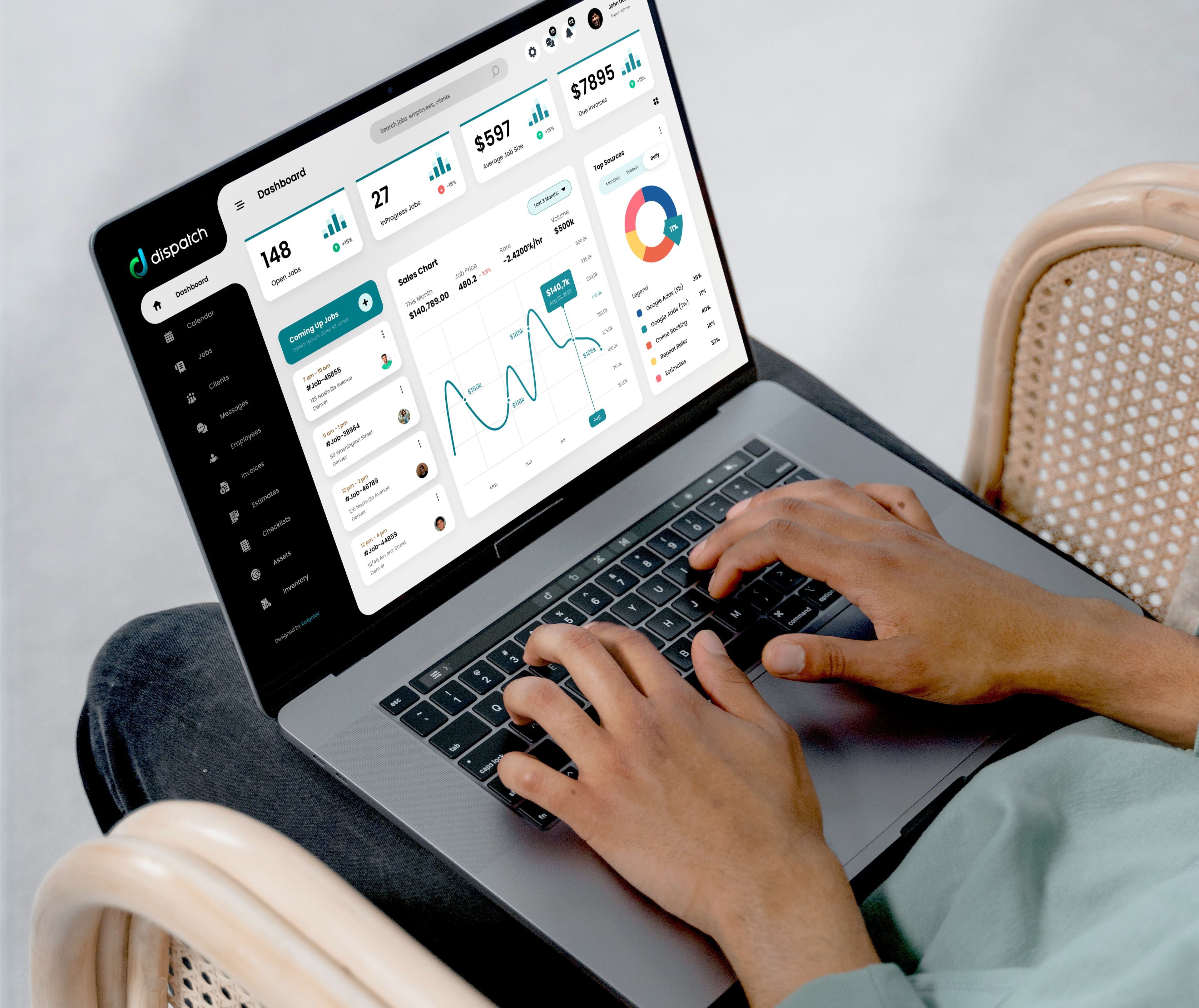
User on Dispatch dasboard screen -  checking daily statistics and updates on job progress and business KPIs
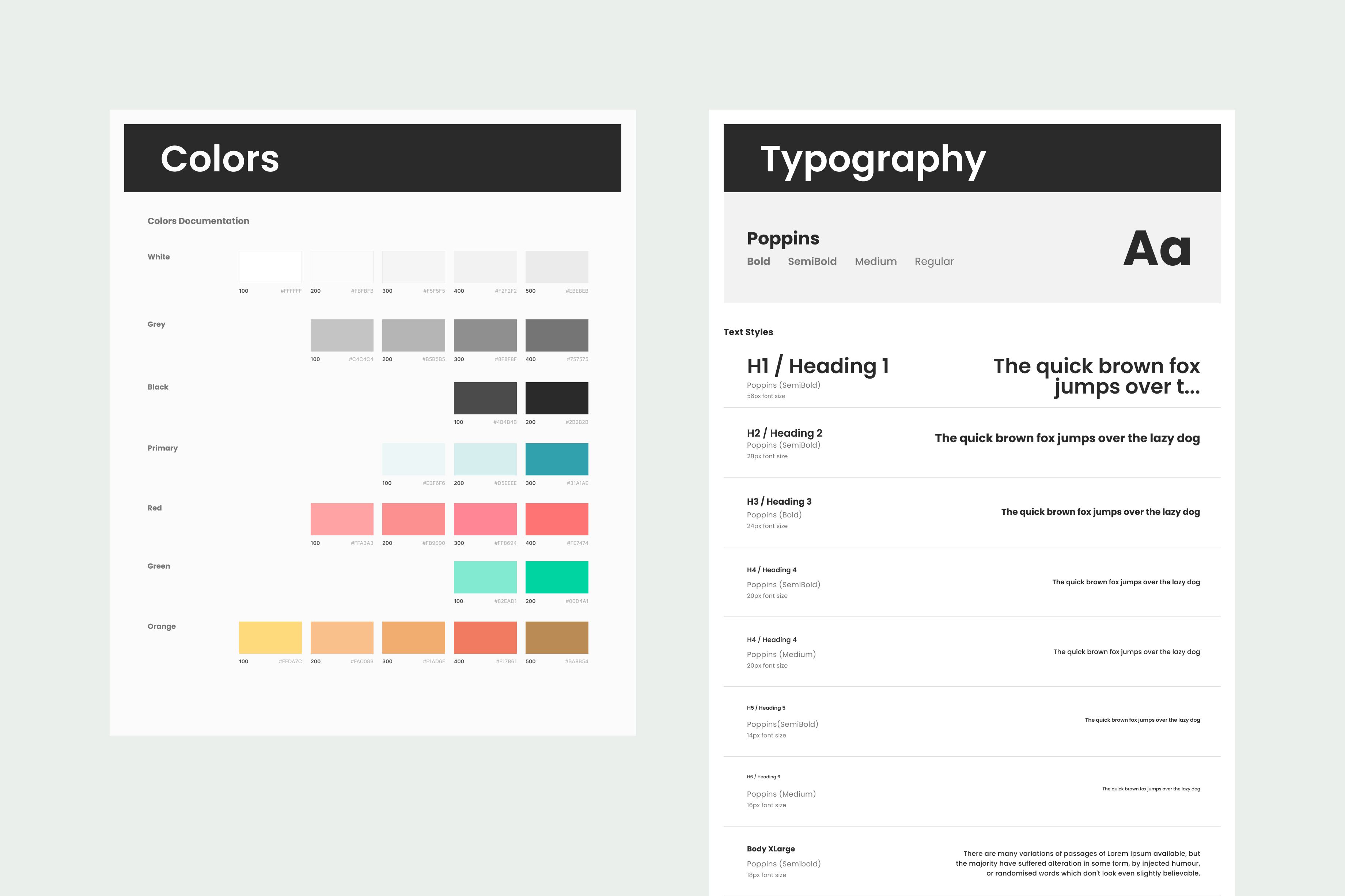
Design style: colors and typography
Design system: navbar, sidebar, cards
Design system: cards, modals, charts, buttons
Personas - Group-1 Enterpreneurs
Personas - Group 2 Field Service Employees
Dispatch dasboard design showing stats/widgets: sales, jobs, top sources, open invoices, average job size, ROAS (return on ad spend)  with last 7 days/last 30 days/last year filters.
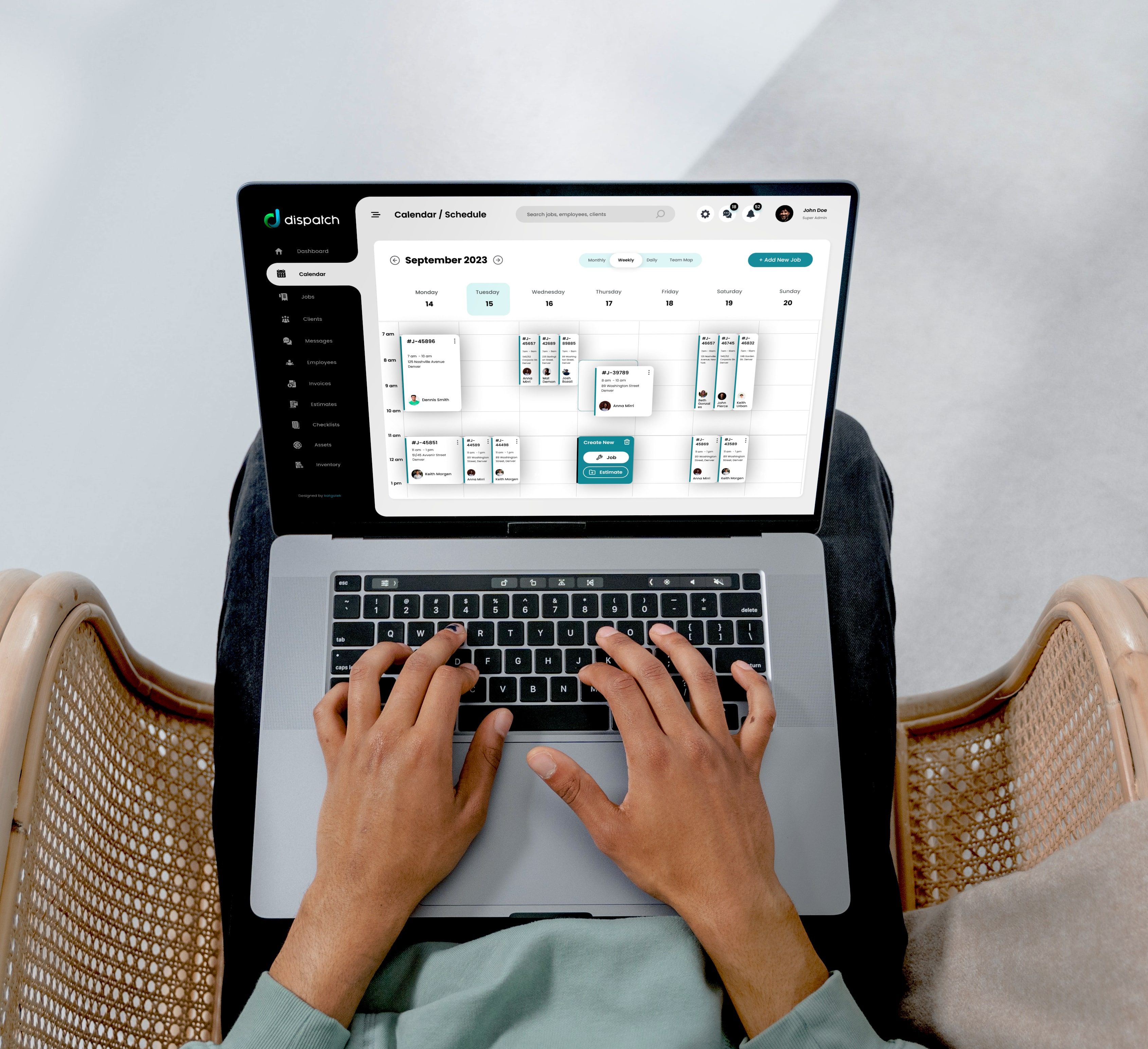
User on dispatch calendar screen - scheduling jobs for a week
Calendar view on weekly filter which is the most commonly used. The calendar must be easy to understand and follow. It enable the user to drag jobs around and resize them.
Calendar view showing modal with job details (it displays client name, phone number, job schedule, job address, crew name, job description or notes and job status ) - it should be accessed upon click on calendar job card.
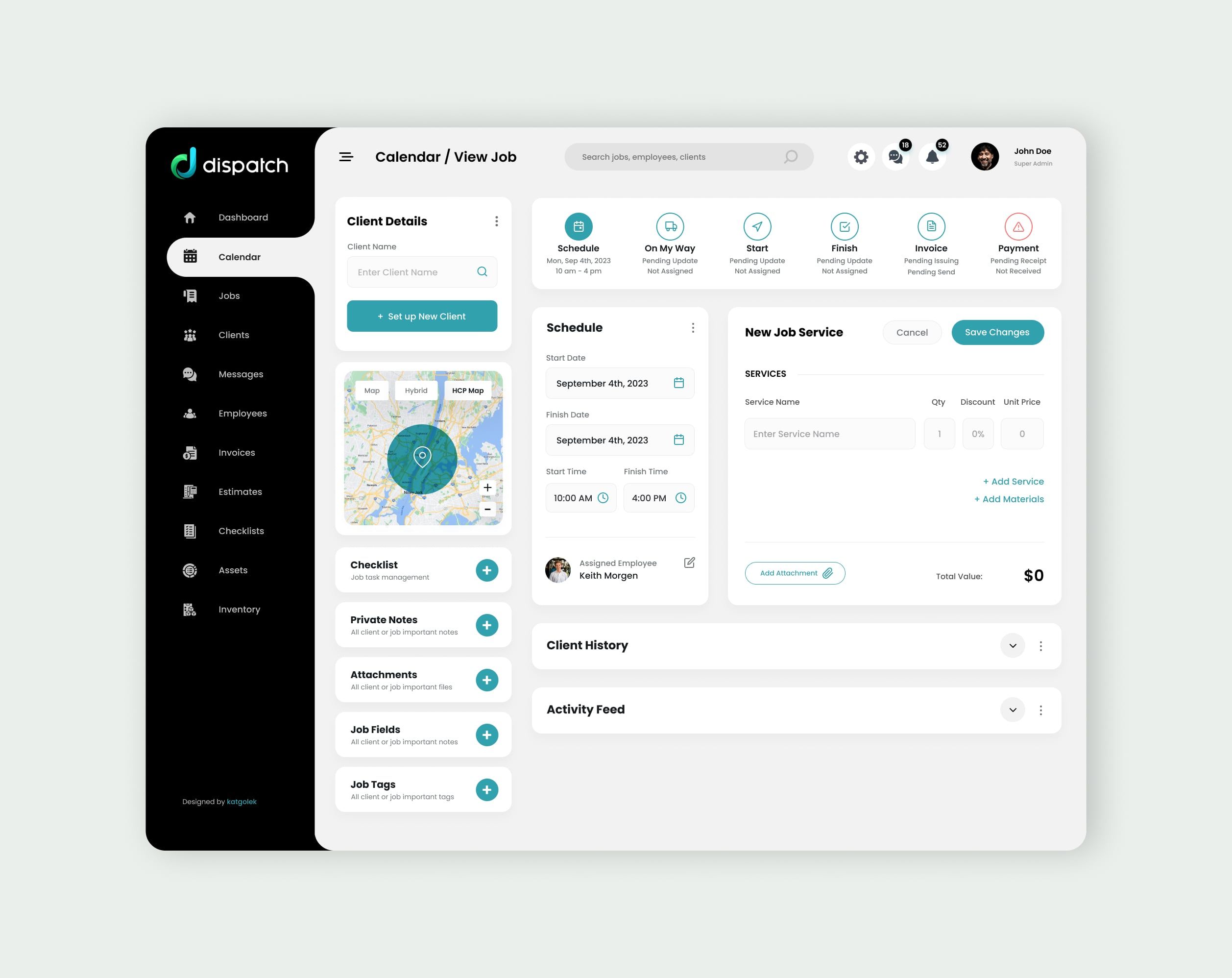
View Job or Add New Job Screen - initial view upon scheduling the job and assignining the employee. In this screen there is no data available for the client - it can be searched in the database or set up from scratch. All job steps, apart from Scheduling have "pending update" state. Scheduling has been marked as completed. Most of the widgets have inactive state: client history, activity feed, chceklists, private notes, attachments, job fields, job tags.
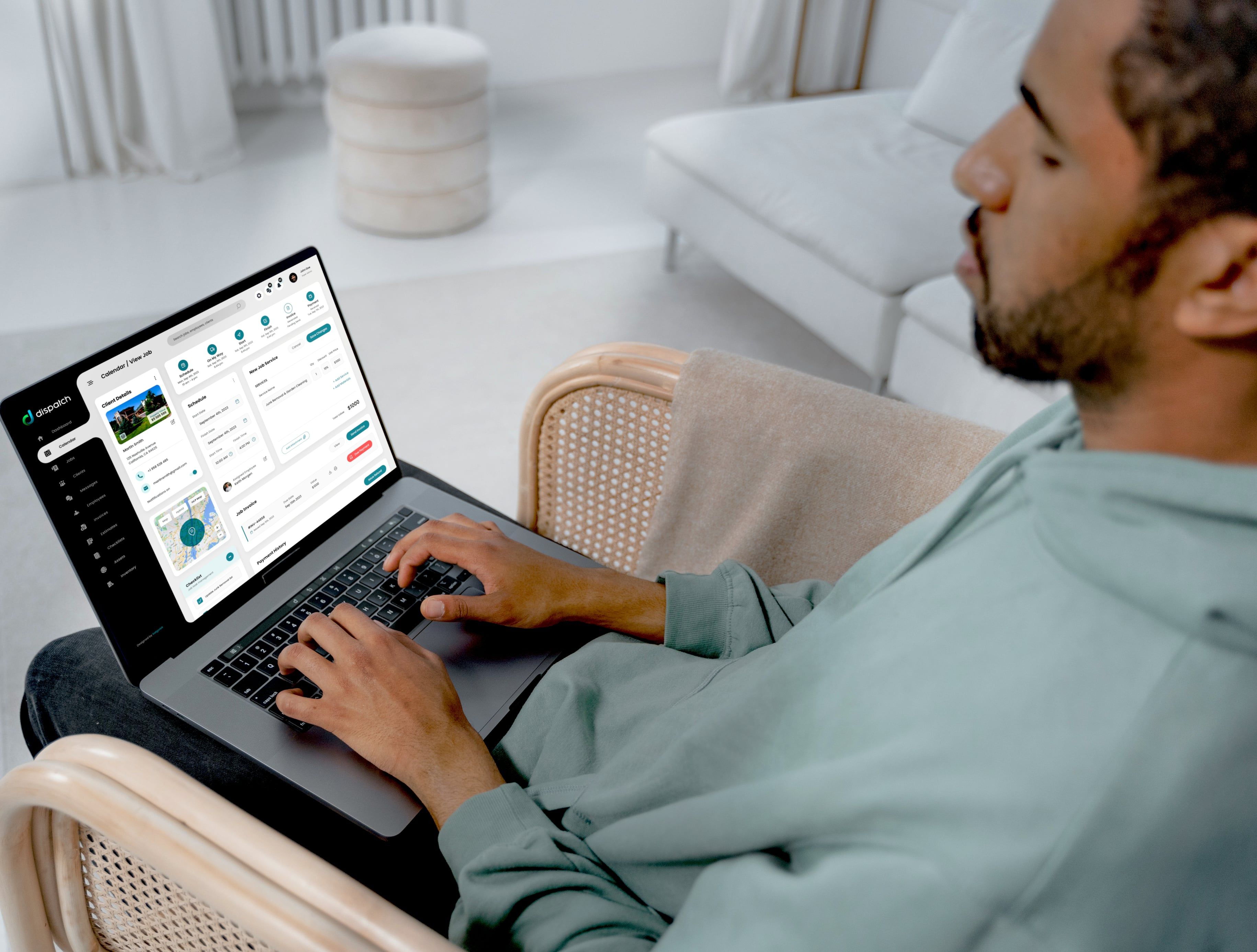
Entrepreneur (User) on dispatch view job screen - scheduling job and updating job details
View Job or Add New Job Screen showing client details ( client name, property address and value, house street view, client contact details), job steps completed, scheduling time, assigned employee, service details with service value, job invoice details (if generated), payment history (if paid), client history, job activity feed (if available), checklist details widget (active widget), attachments widget with files details (active widget), private notes, job fields (inactive widget), job tags (active widget). Apart from that there is google map showing house location.
View Job screen with active finish job modal (job step modal) for entering details and marking job as finished
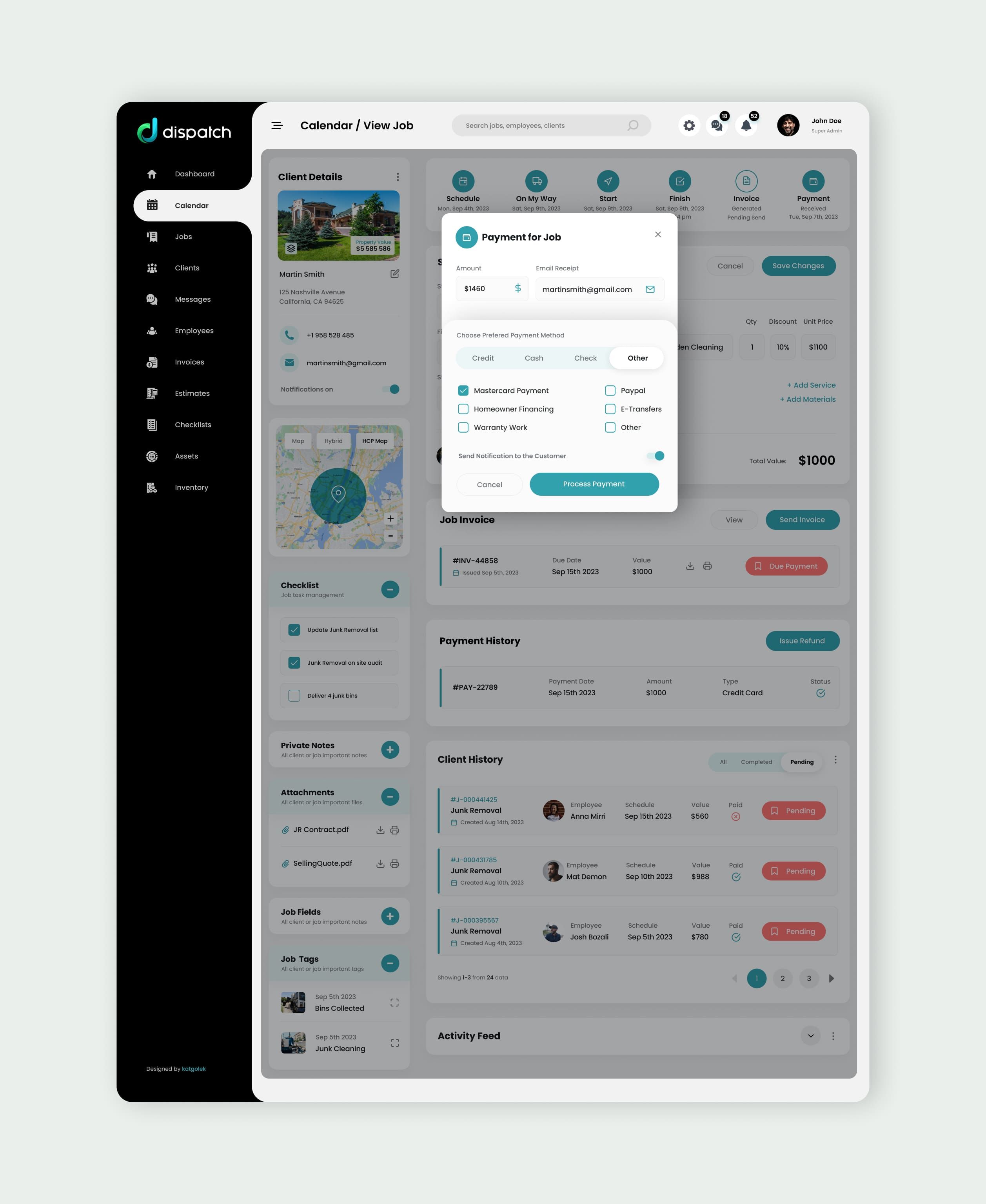
View Job screen with active payment job modal (job step modal) for entering details and marking job as paid
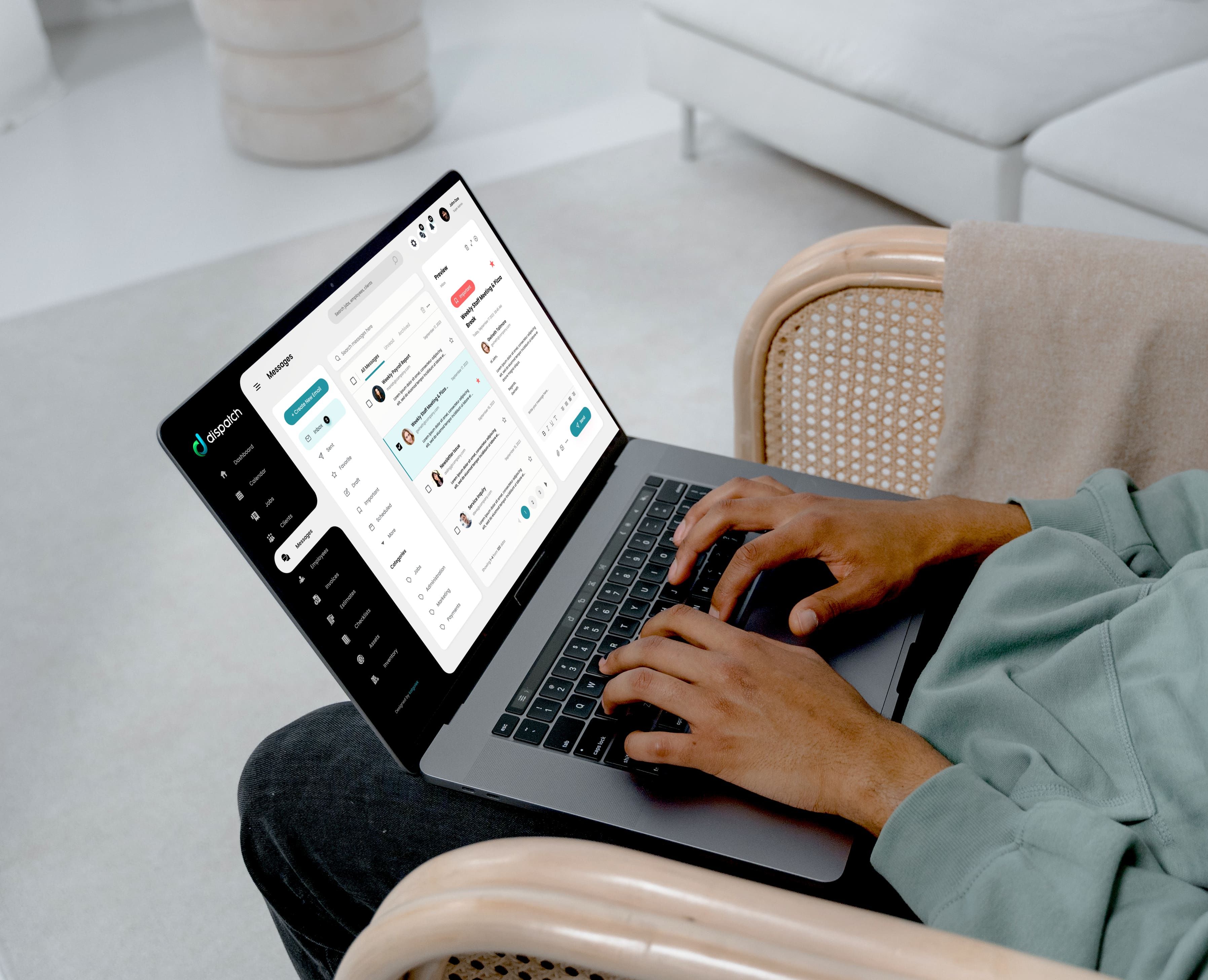
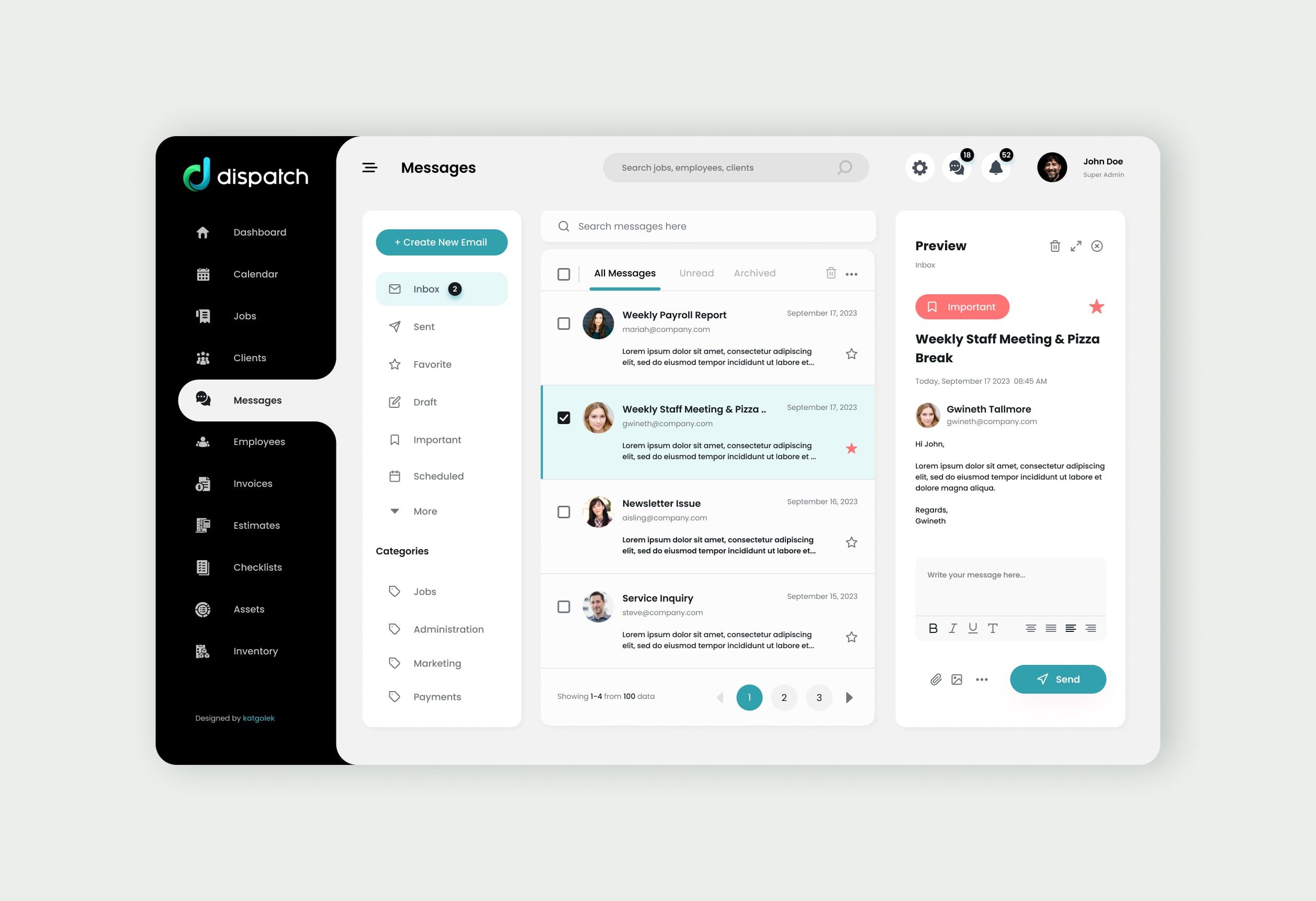
User on messages (inbox) screen
Messages Screen for messaging the client with & new booking details
Alternative messages screen for messaging the employees and the client
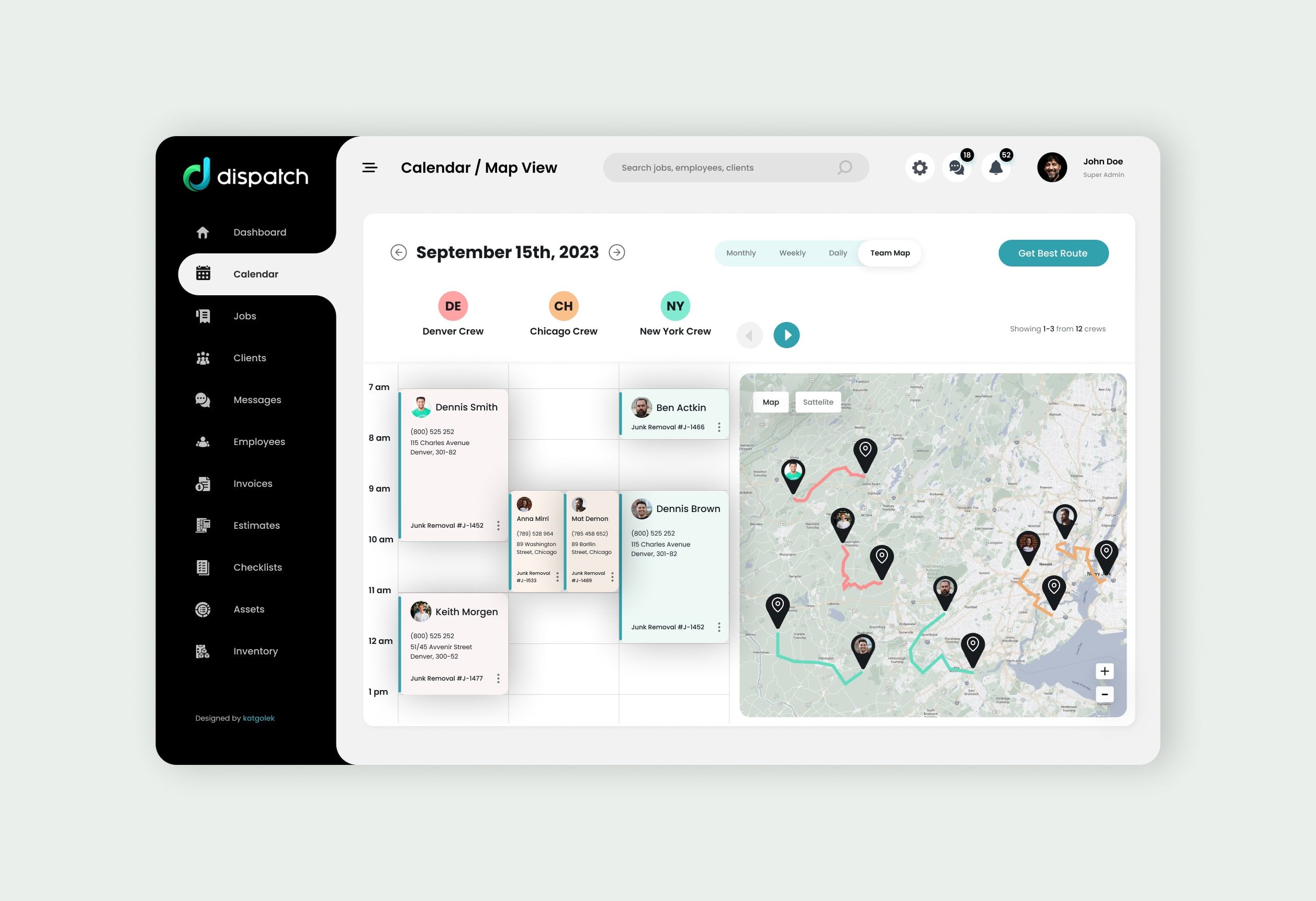
Calendar screen with team map filter. It displays 3 teams, each team has assigned color for better visualisation and differentation,  one team (DE) has active status and its route is displays on the map.The user can navigate to other teams via next or previous buttons. There is a AI Route button for finding best route.
Calendar screen with team map filter. It displays 3 teams, each team has assigned color for better visualisation and differentation,  the map shows all routes for visible teams.The user can navigate to other teams via next or previous buttons. There is a AI Route button for finding best route.